
⚡ Join us for the Silver Jubilee episode of our LinkedIn talk show. ⚡
Book a Demo
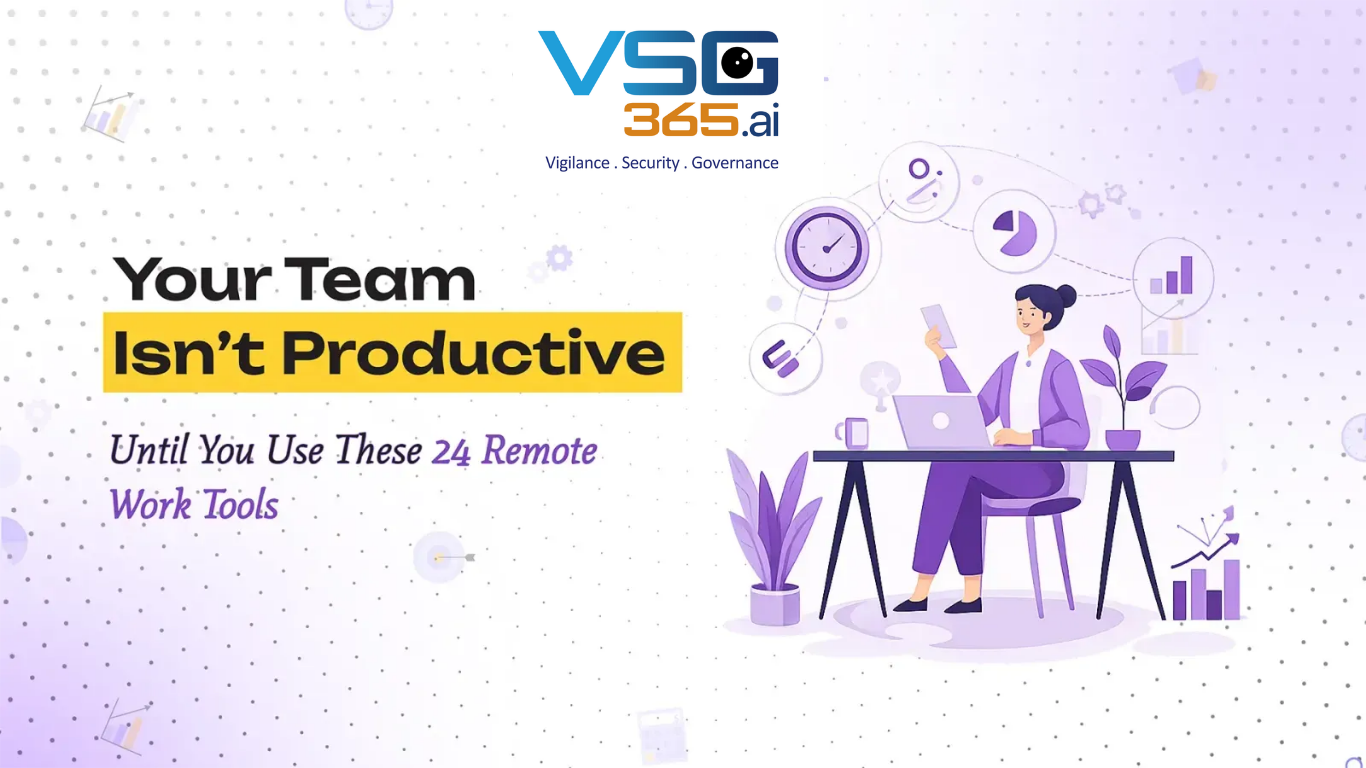
The difference between a high-performing remote team and a struggling one often comes down to one critical factor: the right remote work tools.
It's not about using more tools. It's about using the right tools in the right combination, a thoughtfully assembled tech stack that eliminates friction, enhances collaboration, and turns distributed teams into productivity powerhouses.
In 2026, organizations with mature remote work operations don't rely on luck or trial and error. They've strategically invested in remote work tools that seamlessly integrate, amplify team capabilities, and create an experience that rivals or exceeds traditional office environments.
This guide walks you through the 24 essential remote work tools every distributed team needs, organized by category, along with a selection framework to ensure you build a tech stack that actually works.
Before diving into specific tools, let's establish why the right tech infrastructure is non-negotiable for remote teams.
Teams using well-integrated remote work tools experience a documented productivity increase of up to 40% compared to teams relying on fragmented, poorly chosen systems. This isn't a marginal improvement; it's transformational.
The gain comes from three sources:
Reduced friction: When employees spend less time toggling between tools, searching for information, or waiting for responses, meaningful work time increases dramatically.
Enhanced collaboration: The best remote collaboration tools create transparency and connection that actually exceeds what's possible in traditional offices, where information silos are common.
Automated repetition: Modern remote work productivity tools eliminate manual, repetitive tasks, saving teams 5+ hours per week per employee through automation.
Organizations competing for top talent recognize this reality: distributed teams won't choose a role with outdated tools. The quality of your tech stack directly impacts recruitment and retention. Top performers expect enterprise-grade collaboration tools, security infrastructure, and productivity solutions.
Companies with mature remote work tool ecosystems report:
The productivity question has been definitively answered. Companies managing remote teams effectively report productivity gains of 13-16% compared to their in-office counterparts. Beyond productivity metrics, remote work reduces operational costs (office space, utilities, commute-related expenses) while simultaneously improving employee retention and reducing recruitment costs.
Not all remote work tools are created equal. Before selecting your tech stack, evaluate candidates against these criteria.
The worst remote workforce tools are those that exist in isolation. Evaluate every tool on its ability to integrate with your existing ecosystem.
Look for:
Sophisticated tools that sit unused create no value. The best remote work tools balance power with accessibility.
Evaluate:
The tools with the highest adoption rates are those that respect users' time and reduce the learning curve. If a tool requires weeks of training, adoption will suffer.
Remote teams require fortress-level security. Non-negotiable evaluation criteria include:
Never choose a remote work tool because it's popular or inexpensive if it doesn't meet security standards. Data breaches cost far more than premium tool subscriptions.
Choose tools that grow with your organization, not tools that require migration as you scale.
Essential scalability features:
In 2026, AI integration is no longer a luxury; it's table stakes. The best remote work tools leverage AI to enhance productivity, not as a gimmick but as core functionality.
Evaluate:
Teams deploying AI-enabled remote work tools report 37% reduction in administrative overhead and 26% improvement in decision-making speed.
Benefits of Using Remote Work Productivity Tools: The Real-World Impact
Understanding why these tools matter is important, but seeing the concrete benefits is more compelling.
1. Productivity Gains That Directly Impact
Remote work productivity tools don't just make teams feel more organized; they also create measurable improvements in output. Teams with mature tool implementations report:
For a team of 25 people, eliminating just 5 hours of inefficient work per week translates to approximately 6,500 hours annually, equivalent to 3.1 FTEs of reclaimed capacity.
2. Transparent Operations and Alignment
The best remote collaboration tools provide unprecedented visibility into how work flows through organizations. When everyone can see project status, bottlenecks, and dependencies in real-time:
Beyond productivity, the right remote work tools directly reduce operational expenses:
A typical organization eliminating tool redundancy saves 15-25% on software licensing annually.
Tools matter to employees. The quality of the tooling employees work with directly correlates to engagement, satisfaction, and retention.
Organizations with thoughtfully chosen remote work tools report:
Engagement improvements of 18-24% are common following tech stack optimization.
Types of Remote Workforce Tools: Building Your Complete Stack
Effective remote work tool selection requires understanding the major categories and how they work together.
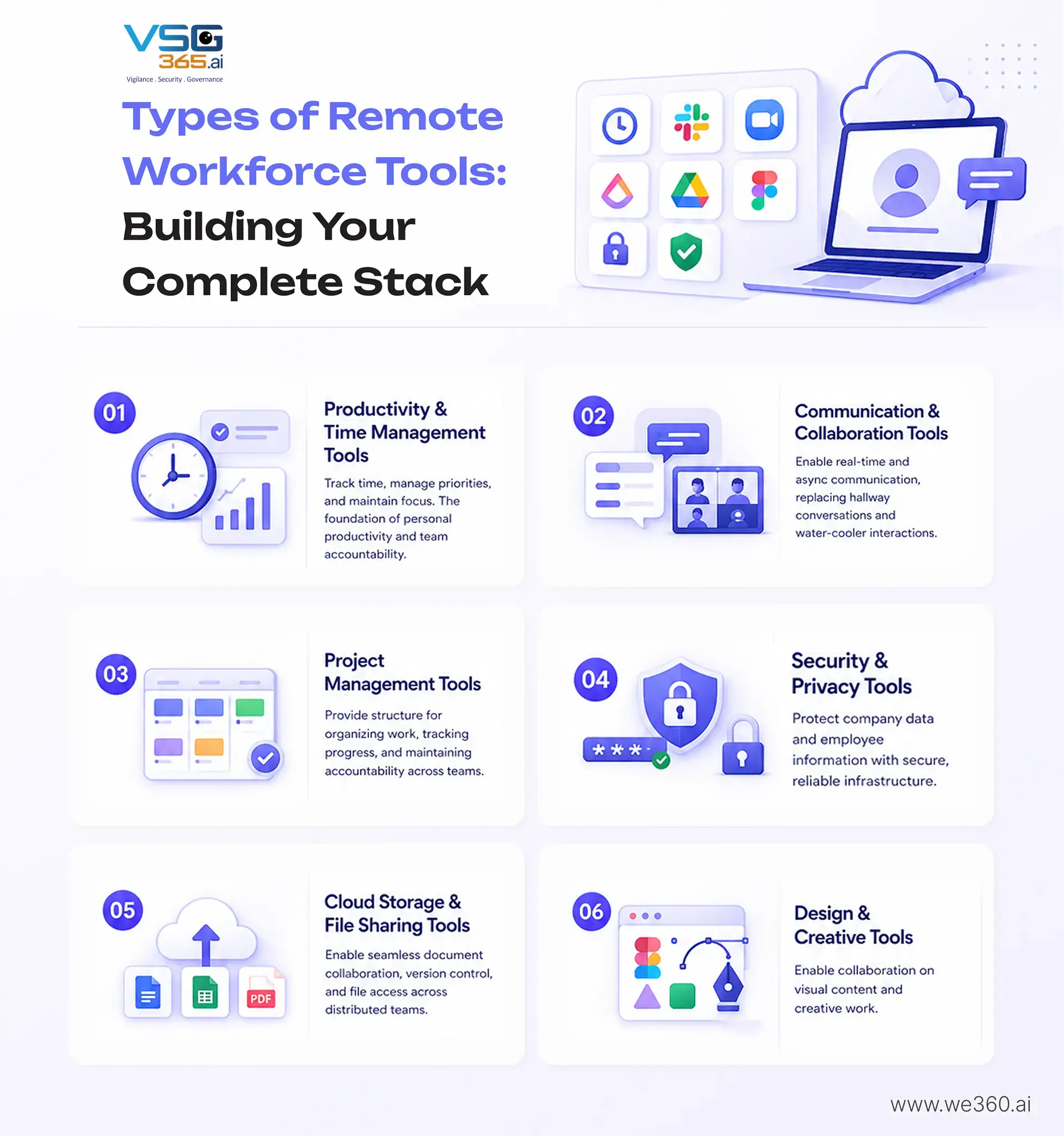
These time tracker tools help individuals and teams track time, manage priorities, and maintain focus. They're the foundation of personal productivity and team accountability.
Essential capabilities:
When to use: Essential for teams where accurate time tracking matters (consulting, professional services, agencies) or where productivity insights inform management decisions. Optional for teams with strong outcome-based management.
The nervous system of remote organizations. These tools enable synchronous and asynchronous communication, replacing hallway conversations and water-cooler interactions.
Essential capabilities:
When to use: Non-negotiable. Every remote team needs a robust communication infrastructure.
These AI project management tools provide a structure for organizing work, tracking progress, and maintaining accountability across teams.
Essential capabilities:
When to use: Critical for teams managing complex projects or coordinating across departments. Different approaches work: Kanban (Trello), hierarchical (Asana), or specialized (Jira for development).
Non-negotiable infrastructure that protects company data and employee information.
Essential capabilities:
When to use: All organizations need these. Non-negotiable, not optional.
Enable seamless document collaboration, version control, and file access across distributed teams.
Essential capabilities:
When to use: Essential. Every remote team needs centralized, accessible file management.
For teams creating visual content, these tools enable collaboration on creative work.
Essential capabilities:
When to use: Critical for design, marketing, product, and creative teams. Less essential for non-creative functions.
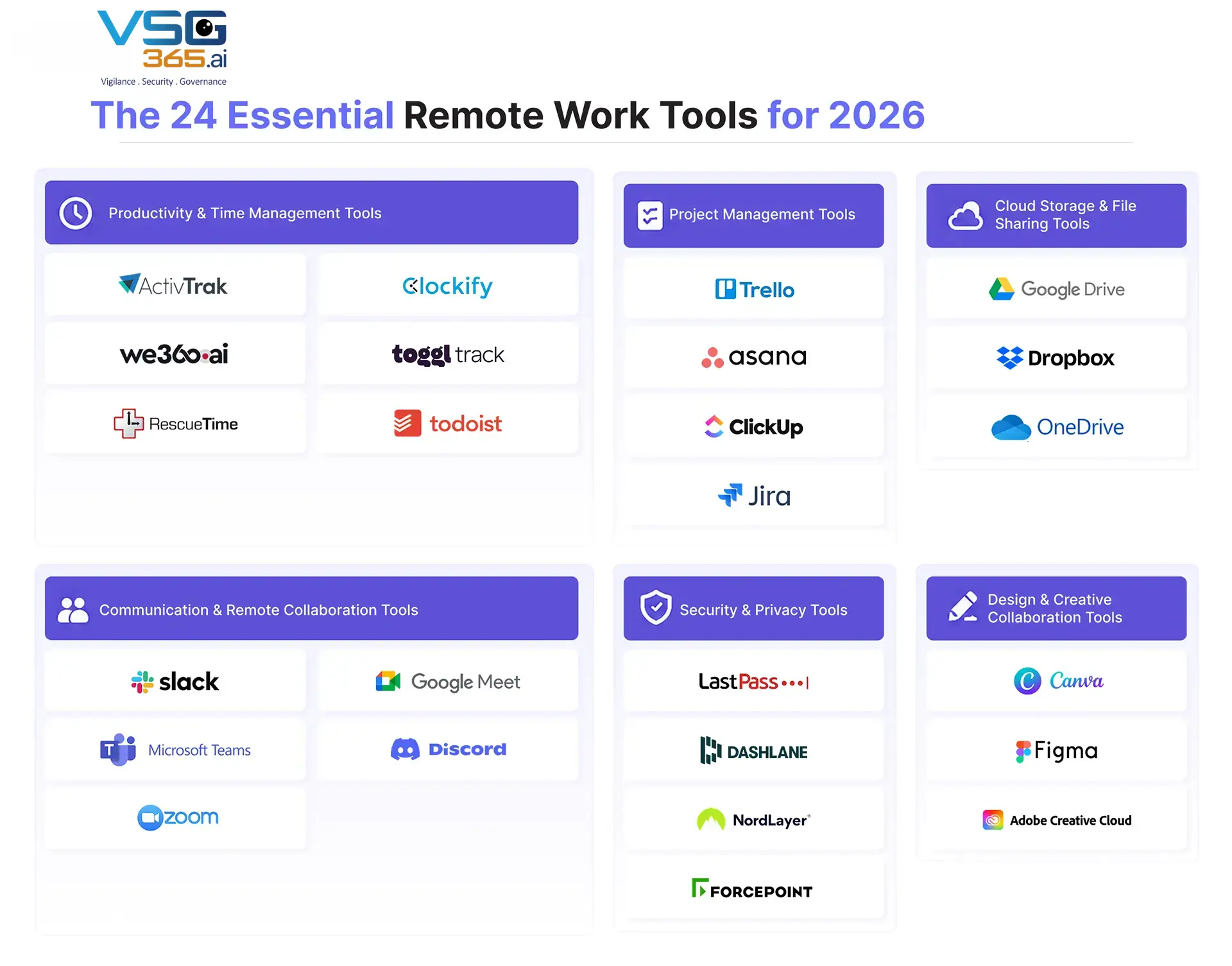
The 24 Essential Remote Work Tools for 2026
Here's a curated selection of the best remote work tools across all categories. These aren't ranked by popularity; they're evaluated on effectiveness, integration, security, and real-world team outcomes.
1. ActivTrak – Workforce Analytics and Productivity Tracking
ActivTrak provides comprehensive workforce analytics and productivity insights without invasive surveillance. Helps teams understand work patterns, identify blockers, and optimize processes.
Best for: Organizations wanting data-driven insights into productivity and workflow optimization without the ethical issues of surveillance-focused tools.
Key features
Pricing: Enterprise pricing; free trial available
Balances productivity insights with employee privacy. Provides actionable intelligence rather than surveillance data.
2. VSG-365.ai – Employee Monitoring, Productivity Insights, and Workforce Analytics
vsg-365.ai is a comprehensive employee monitoring and workforce analytics platform that tracks productivity while providing detailed team insights and performance metrics.
Organizations prioritize visibility into remote work activity and detailed productivity analytics for compliance or management purposes.
Key features:
Pricing: Tiered plans starting at ~$10/user/month
Most comprehensive monitoring and analytics capabilities. Important note: Implementation should follow strict privacy, transparency, and ethical guidelines.
Related read: The Best AI Project Management Tools in 2025
3. RescueTime – Automatic Time Tracking and Focus Insights
Automatically tracks how time is spent across applications and websites, providing individual insights without surveillance. Helps identify focus patterns and time wasters.
Optimizing individual and team productivity when privacy and trust are paramount.
Key features:
Pricing: Free plan available; Premium at $10/month per user
Privacy-first approach. Focuses on personal productivity improvement rather than management surveillance.
4. Clockify – Free Time Tracking for Teams
Simple, free time tracking solution for teams. Track billable hours, project time, and team capacity without complexity.
Agencies, consultancies, and service organizations where accurate time tracking for billing is essential. Teams with budget constraints.
Key features:
Pricing: Free for unlimited users on the basic plan; Premium at $10/user/month
Genuinely free for small teams. Simple interface with professional reporting capabilities.
5. Toggl Track – Simple and Flexible Time Tracking
Lightweight time tracking focused on simplicity and flexibility. Track time without complexity, then generate detailed reports.
Teams want straightforward time tracking without overwhelming features. Strong for freelancers and small teams.
Key features:
Pricing: Free plan available; Premium at $9-$199/month depending on team size
The simplest interface of major time tracking tools. Strong integration ecosystem.
6. Todoist – Task and Priority Management
Comprehensive task management system for individuals and teams. Organize work, set priorities, and track completion.
Teams and individuals need lightweight task management integrated with daily workflow.
Key features:
Pricing: Free plan available; Premium at $4/month; Business at $6/month per userElegant interface. Exceptional integration ecosystem. Works for both individual and team task management
Trello – Visual Task Management with Kanban Boards
Visual project management using Kanban boards. Perfect for teams preferring visual workflow organization over complex hierarchies.
Teams with simple to moderate project complexity. Marketing, product, and operations teams. Excellent for workflow visualization.
Key features:
Pricing: Free plan available; Standard at $6/user/month;
Premium at $12.50/user/month; Enterprise custom pricingSimplest, most powerful project management tool. Low learning curve with surprising depth through Power-Ups.
8. Asana – Workflow and Team Collaboration Management
Comprehensive project management platform for complex team workflows: hierarchical project organization, timeline views, and advanced collaboration features.
Mid to large teams managing complex, multi-departmental projects. Organizations need sophisticated workflow management.
Key features:
Pricing: Free plan for small teams; $10-$24.99/user/month depending on features
Most powerful for complex workflows. Portfolio view provides organizational-level visibility that is rare among project management tools.
9. ClickUp – All-in-One Productivity Platform
Kitchen-sink productivity platform attempting to replace multiple specialized tools. Combines project management, task management, documentation, and collaboration.
Organizations want to consolidate multiple tools into one platform. Teams are comfortable with feature-rich complexity.
Key features:
Pricing: Free plan available; Paid plans $5-$19/user/month
Most customizable. Ambitious feature set. It can genuinely replace multiple specialized tools for organizations willing to invest in optimization.
10. Jira – Agile Project Management for Development Teams
Industry-standard project management tool for software development teams. Optimized for agile methodologies and development workflows.
Software development teams. Organizations using Scrum, Kanban, or other agile methodologies. Any team needing specialized development workflow management.
Key features:
Pricing: Cloud-based at $7-$14/user/month; Server/Data Center custom pricing
Market leader for development teams. Integrates seamlessly with development tools. Provides insights specific to engineering workflows.
Slack – Team Messaging and Integrations
Real-time team messaging platform replacing email for internal communication. Organize conversations by channel and enable direct messaging.Organizations are moving toward modern internal communication. Essentially universal for distributed teams.
Key features:
Pricing: Free plan available; Pro at $8.99/user/month; Business+ at $12.50/user/month; Enterprise Grid custom pricing
Market standard for internal communication. An exceptional integration ecosystem enables connection with virtually any business tool.
12. Microsoft Teams – Enterprise Communication Hub
Integrated communication and collaboration platform combining messaging, video conferencing, and file collaboration within the Microsoft 365 ecosystem.Organizations are already invested in Microsoft 365. Enterprises valuing integrated security and governance. Organizations requiring tight Office integration.
Key features:
Pricing: Included with Microsoft 365 subscriptions; Standalone plans available
Deepest integration with the Microsoft 365 ecosystem. Strong security and governance for enterprise organizations.
13. Zoom – Video Conferencing and Webinars
Market-leading video conferencing platform—industry standard for remote meetings, webinars, and virtual events.
Remote teams need reliable video conferencing. Organizations hosting webinars and large virtual events. Any team prioritizing meeting quality.
Key features:
Pricing: Free plan (40-minute limit); Pro at $16.99/month; Business at $26.99/month; Enterprise custom pricing
Most reliable video platform. Best-in-class meeting quality. Dominant market share.
14. Google Meet – Seamless Video Meetings Within the Google Ecosystem
Video conferencing is integrated within Google Workspace. Embedded in Gmail, Calendar, and Google apps for seamless meeting access.
Organizations using Google Workspace (especially education and non-profits). Teams valuing integration with Google tools.
Key features:
Pricing: Free plan available; Included with Google Workspace for Business plans and higher
Deepest integration with Google Workspace. No additional login required. Strong international transcription and translation.
15. Discord – Informal Team Communication and Voice Channels
Chat and voice platform originally designed for gaming communities, increasingly used by remote teams for informal communication and voice coordination.
Teams want voice-first communication options. Tech-focused organizations. Teams where voice is preferred over text.
Key features:
Pricing: Free plan available; Discord Nitro at $9.99/month (cosmetic features mostly)
Most natural voice communication platform. Always-on channels reduce meeting friction. Free for most use cases.
Google Drive – Real-Time File Sharing and Collaboration
Cloud storage with real-time collaborative editing for documents, spreadsheets, and presentations. The foundation of Google Workspace collaboration.
Organizations using Google Workspace. Teams value real-time collaborative editing. Non-profit and education organizations.
Key features:
Pricing: Free plan (15GB); Google One at $1.99-$9.99/month (100GB-2TB); Included with Google Workspace plans
Most seamless collaborative editing experience. Free tier is genuinely useful. Integrations are extensive.
Dropbox – Secure File Storage and Syncing
Cloud storage platform with a focus on file syncing, sharing, and team collaboration—Platform-agnostic across Windows, Mac, Linux, iOS, and Android.
Organizations need platform-agnostic cloud storage. Teams where file sync matters as much as collaboration—organizations with specific compliance requirements.
Key features:
Pricing: Free plan (2GB); Dropbox Standard at $11.99/month; Dropbox Plus at $19.99/month; Dropbox Family at $19.99/month; Business plans starting at $16.99/user/month
Reliable sync engine. Platform-agnostic. Strong security and compliance features.
OneDrive – Microsoft-Integrated Cloud Storage
Microsoft's cloud storage platform. Tightly integrated with Windows, Microsoft 365 apps, and Windows 10/11.
Organizations using Microsoft 365. Windows-centric organizations. Teams valuing deep Office app integration.
Key features:
Pricing: Cloud-based at $7-$14/user/month; Server/Data Center custom pricing
Market leader for development teams. Integrates seamlessly with development tools. Provides insights specific to engineering workflows.
19. LastPass – Password Management
A password manager that securely stores and autofills login credentials. Reduces password fatigue and improves security.
Teams need secure password management. Organizations where employees manage 50+ passwords. Small to mid-sized organizations.
Key features:
Pricing: Free plan available; LastPass Premium at $3/month; LastPass Teams at $4/user/month; LastPass Enterprise custom pricing
Simple, reliable interface. Strong security. Good team sharing capabilities for the price.
20. Dashlane – Secure Password Vault with Monitoring
Premium password manager with comprehensive security monitoring and dark web surveillance. More feature-rich than basic password managers.
Security-conscious teams. Organizations prioritize comprehensive password security and breach detection.
Key features:
Pricing: Premium at $4.99/month; Teams at $7.99/user/month; Business plans custom pricing
Most comprehensive password security. Dark web monitoring catches compromised passwords. Team management is straightforward.
21. NordVPN / NordLayer – Secure Remote Access via VPN
A VPN service provides encrypted remote access and privacy protection. NordLayer is specifically designed for business teams.
Organizations with remote workers need secure access to company resources, and teams prioritize privacy and security.
Key features for NordLayer:
Pricing: NordVPN at $3.99-$12.99/month; NordLayer business plans starting at $7.99/user/month
Strong security reputation. NordLayer is specifically designed for business—reliable encryption for remote workers.
Forcepoint DLP – Data Protection and Compliance
A data loss prevention (DLP) platform that protects sensitive information, prevents unauthorized data sharing, and ensures compliance.
Organizations handling sensitive data. Regulated industries (healthcare, finance, legal). Large enterprises require comprehensive data security.
Key features:
Pricing: Enterprise custom pricing
Most comprehensive enterprise DLP solution. Handles complex compliance requirements.
Design & Creative Collaboration Tools
Canva – Easy Graphic Design for Teams
A web-based design platform making graphic design accessible to non-designers—an extensive template library for quick design creation.
Marketing, social media, and communications teams. Organizations without dedicated design resources. Rapid content creation needs.
Key features:
Pricing: Free plan available; Canva Pro at $13/month; Canva Teams at $30/month for up to 5 people; Canva Enterprise custom pricing
Most accessible design tool. Extensive templates eliminate design knowledge requirements. Team collaboration is intuitive.
Figma – UI/UX Design and Collaboration
Cloud-based design and prototyping tool built for collaboration. Industry standard for product design and design systems.
Design and product teams. Organizations building design systems. Companies are prioritizing collaborative design processes.
Key features:
Pricing: Free plan (limited files); Professional at $12/editor/month; Organization custom pricing
Most natural collaborative design tool. Developer integration is superior. Design systems management is mature.
Adobe Creative Cloud – Advanced Design and Creative Suite
Industry-standard suite of creative applications. Photoshop, Illustrator, InDesign, After Effects, and others.
Professional designers and creative studios. Organizations require professional-grade creative tools. Teams need specialized creative applications.
Key features:
Pricing: Single app at $20.49/month; All apps (Creative Cloud) at $54.49/month; Teams at $55/month per user; Enterprise custom pricing
Industry standard. Most comprehensive feature set. Seamless integration across applications.
How to Build the Right Remote Work Tech Stack: A Strategic Framework
Having 24 tools means nothing without a strategic approach to implementation. Here's how leading organizations build effective tech stacks.
Avoid Tool Overload: Focus on Integration
The single biggest mistake organizations make is tool proliferation. Different departments choose different tools, creating silos and reducing overall effectiveness.
The principle: Choose fewer tools that integrate deeply rather than more tools that work in isolation.
For a typical organization, a robust stack includes:
Evaluate every new tool against: "Does this integrate with our existing stack? Does it solve a specific problem we're actually experiencing?"
Combine Productivity + Collaboration + Security Tools
An effective stack isn't about having the most tools; it's about having the right combination of complementary tools.
The three pillars:
Pillar 1: Collaboration & Communication
Pillar 2: Productivity & Project Management
Pillar 3: Security & Analytics
This three-pillar structure ensures comprehensive coverage without tool sprawl.
Align Tools with Business Goals and Workflows
The best tool for another company isn't necessarily the best tool for you. Alignment with your specific workflows is critical.
Evaluation process:
Companies that follow this disciplined approach achieve 85% faster ROI than those adopting tools reactively.
Train Teams for Maximum Adoption
Tools only create value when used effectively. Training and enablement are non-negotiable.
Adoption strategy:
Teams that receive structured adoption support achieve 43% higher usage and 34% faster productivity gains.
Continuously Optimize Based on Usage Data
Implementation isn't the endpoint; it's the beginning. Successful organizations continuously optimize their stacks.
Optimization approach:
Organizations optimizing quarterly report 23% better outcomes than those implementing once and moving on.
VSG-365.ai: The Best Employee Monitoring & Workforce Analytics Tool for Remote Teams
Among the 24 tools discussed, vsg-365.ai deserves special attention as a comprehensive solution for organizations prioritizing visibility and workforce analytics.
Why vsg-365.ai Stands Out
Comprehensive monitoring and analytics – VSG-365.ai combines employee monitoring with sophisticated workforce analytics, providing organizations with deep insights into remote work patterns and productivity.
Transparency and customization – Unlike surveillance-focused tools, vsg-365.ai enables organizations to configure monitoring in ways that respect privacy while providing necessary insights. Screenshot frequency, monitoring scope, and reporting can all be customized.
Integration ecosystem – Seamless integration with leading project management (Asana, Monday, Jira), communication (Slack, Teams), and time tracking tools creates a connected workforce analytics environment.
Actionable insights – Raw monitoring data becomes actionable through AI-powered analytics. Identify productivity patterns, team dynamics, and performance trends without manual analysis.
Compliance and governance – Built-in compliance features address GDPR, CCPA, and other privacy regulations. Audit logs and access controls ensure proper data governance.
Related read: Top 7 Workforce Analytics Tools in 2025
Implementation Best Practices
Transparency first – Communicate clearly with employees about monitoring. Explain how data is used and what benefits they receive.
Focus on improvement, not surveillance – Frame insights as ways to help teams work better, not as tools to police employees.
Privacy by default – Configure VSG-365.ai with the minimum monitoring necessary to achieve your goals. Respect employee privacy by default.
Balance monitoring with trust – Combine monitoring insights with strong outcome-based management. Good management is more important than surveillance data.
Regular reviews – Quarterly assess what you're learning from vsg-365.ai and whether it justifies the investment.
Conclusion: Your Tech Stack Is Your Competitive Advantage
The difference between high-performing remote teams and struggling ones often comes down to technology infrastructure.
It's not about having the most tools. It's about having a thoughtfully assembled tech stack in which each tool serves a specific purpose, integrates seamlessly with others, and amplifies the team's capabilities.
The 24 remote work tools outlined here represent the current frontier of what's possible in distributed work environments. Productivity and time-management tools help individuals stay focused. Communication and collaboration tools enable seamless connection. Project management tools provide structure. Security tools protect what matters. Design tools enable creativity.
Together, these tools create an environment where remote teams can collaborate effectively, maintain focus, and achieve results that rival or exceed traditional office environments.
The organizations winning in 2026 aren't those throwing random tools at problems. They're strategically investing in thoughtfully chosen remote workforce tools, integrating them deliberately, training their teams properly, and continuously optimizing based on outcomes.
Your tech stack isn't overhead, it's an investment in your team's capability and your organization's future.
Frequently Asked Questions